Set up a project
Before integrating any ZeroDev SDK, create a project on the ZeroDev dashboard and configure a gas-sponsorship policy.
The project gives you an RPC URL that the SDKs use to talk to ZeroDev's bundler and paymaster.
This page covers ZeroDev's hosted AA infra, but you can use ZeroDev with any AA infra provider.
Create a ZeroDev project
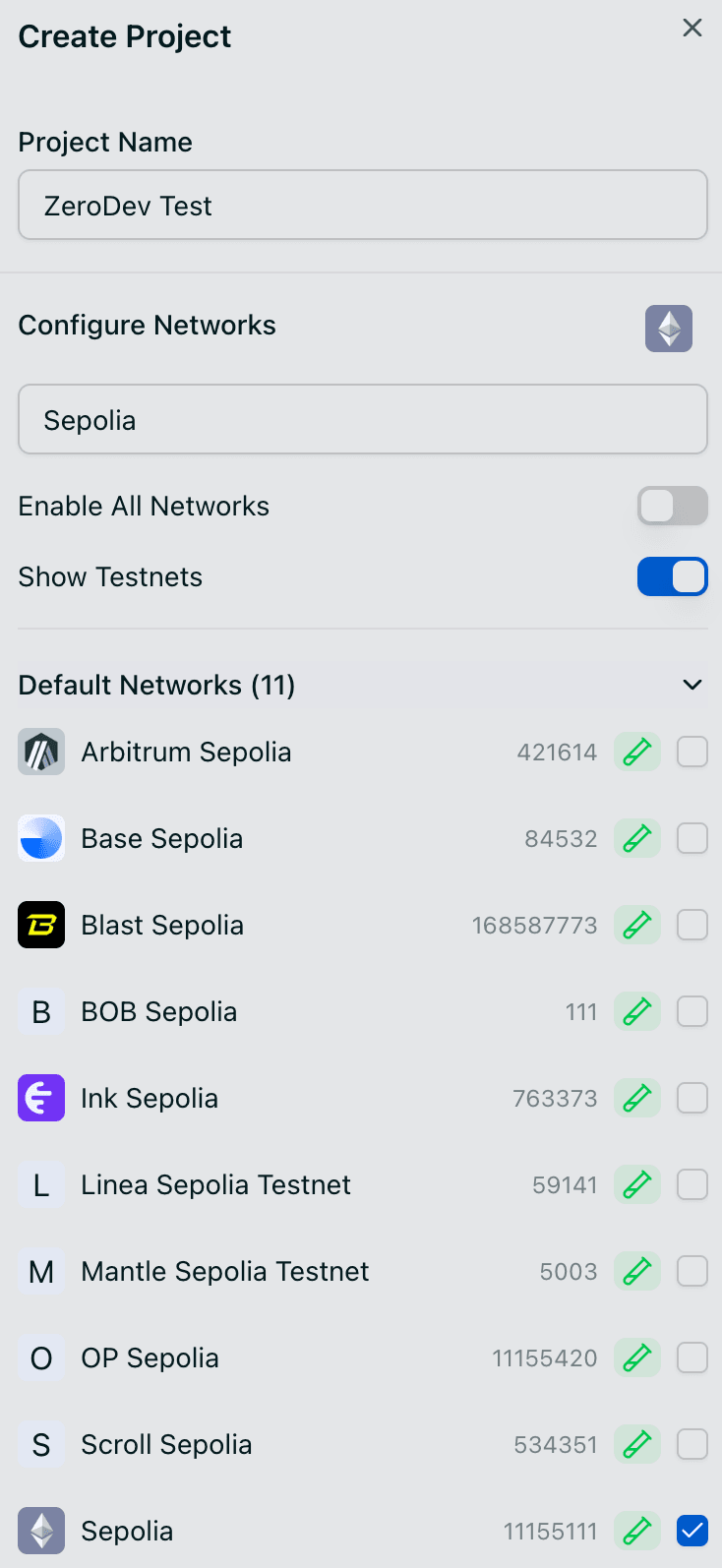
Go to the ZeroDev dashboard and create a project for the network you want to build on (Sepolia is a common starting point).
Set up a gas policy
To sponsor user operations, you need a gas-sponsorship policy on the project.
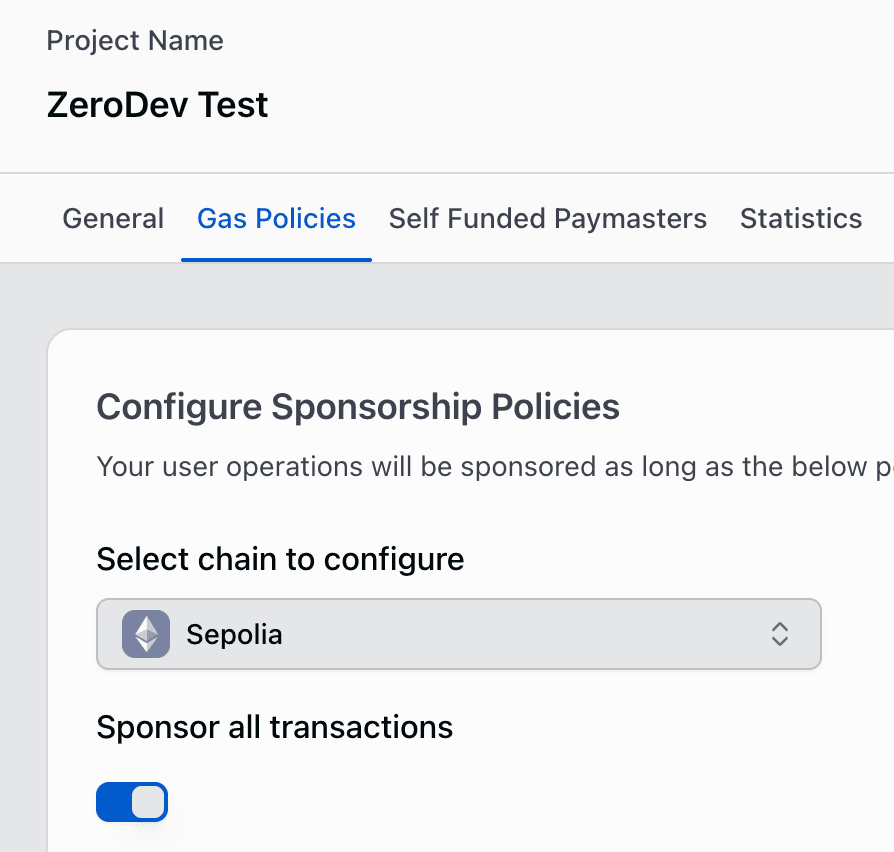
Go to the Gas Policies section of your dashboard, select the network you created the project on, and toggle Sponsor all transactions.
Copy your RPC URL
From the project home page, copy the RPC URL — you'll pass it to the SDK when constructing clients (typically as a ZERODEV_RPC environment variable).

Next steps
Pick the SDK that matches your stack: